• Secure order
  • Easy return shipment
  • Service-Hotline +49 4231 668980

Pop-up cards with music

Instructions No. 3634

Instructions No. 3634

Difficulty: Advanced

Working time: 2 Hours
Share article:
Print instructions Download template View material list
Download template Material list
Pop-up cards are a real eye-catcher and bring a smile to everyone's face. But how about combining this unique effect with a personalized card? In this step-by-step guide, I'll show you how to design your own pop-up cards with music. You'll also learn some creative techniques that you can use for other craft projects. Whether for a birthday, wedding or simply as a creative greetings card - you're guaranteed to score points with a musical highlight!
musikkarte
musikkarte
A beautiful melody in the pop-up card

Step 1: Preparing the card

Start by embellishing your pop-up card with watercolour . Let your creativity run wild - whether it's cheerful splashes of color, delicate color gradients or an individual pattern, the decision is entirely up to you.

Step 2: Select and transfer motifs

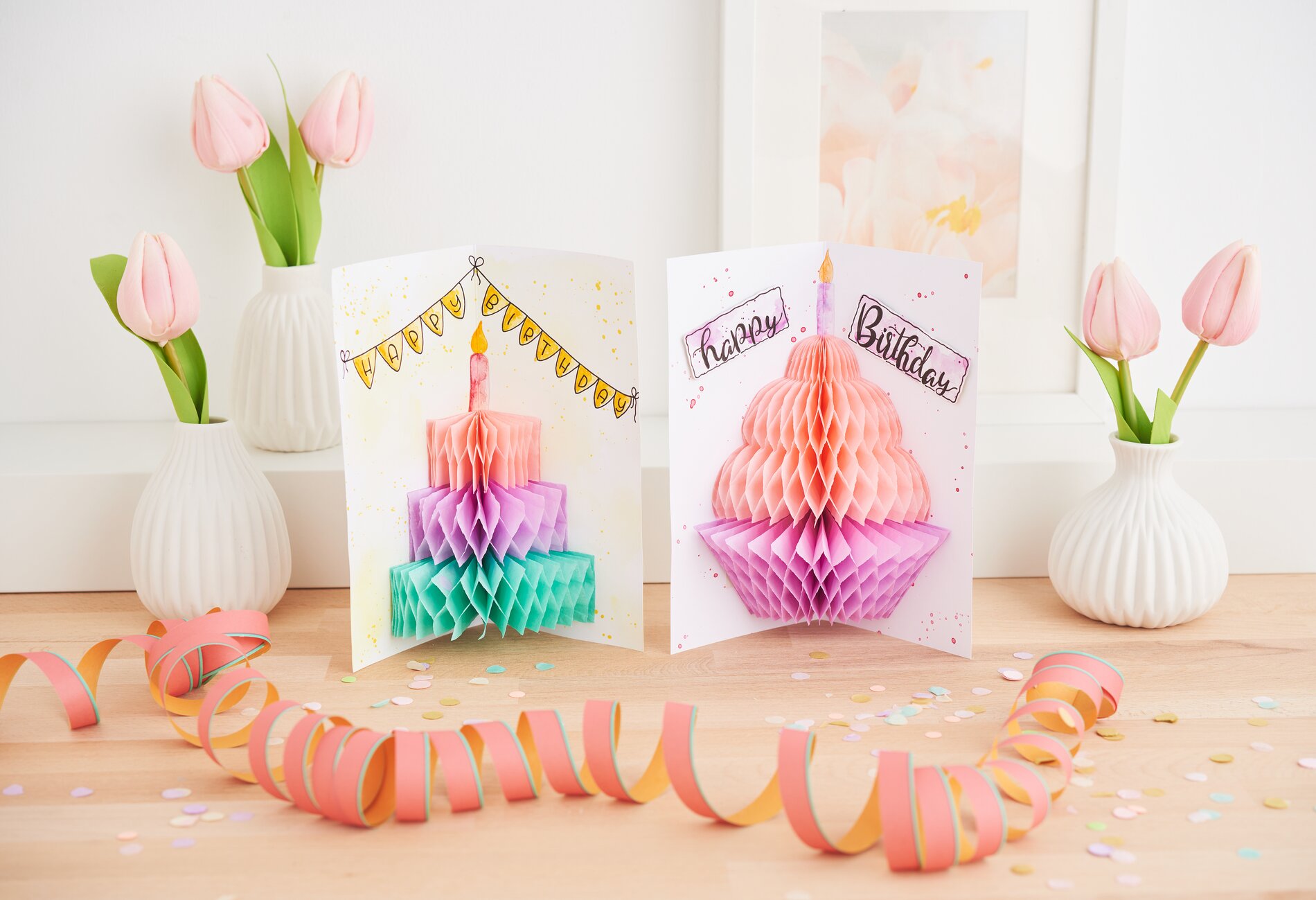
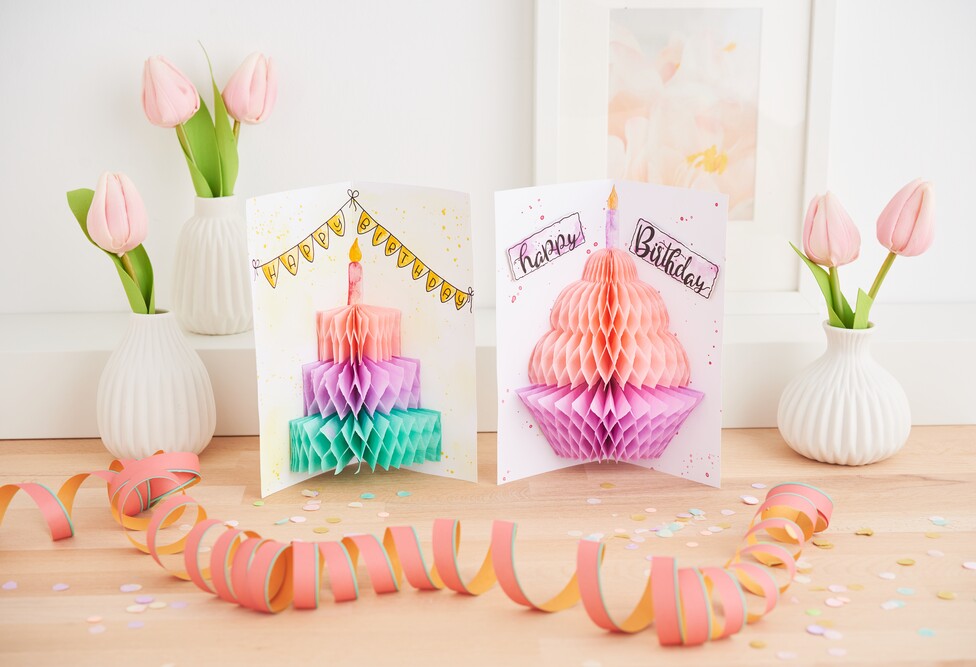
Print out the free template. Carefully cut out the templates for the birthday cake and the cupcake (A & B). You can transfer the motifs and fonts to the card using graphite paper. Graphite paper allows you to transfer drawings and lettering precisely onto your card. Then trace the lines with a fineliners and color in the motifs to your taste.

Step 3: Working with honeycomb paper

Place the cut-out templates (A & B) on the short side of the honeycomb paper and cut them out. Important: Avoid the long side so that you can easily unfold the Paper later.

Step 4: Attach the music chip

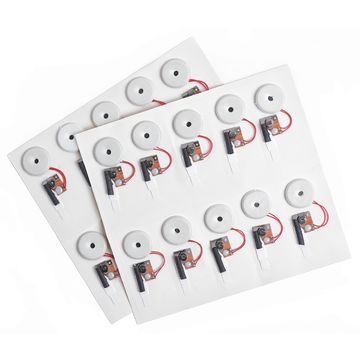
Stick the music chip in a strategic place on the card so that most of it is covered by your honeycomb paper. Make sure that the music chip sticker sits exactly in the fold of the card. The white tab should break the contact when the card is opened and allow the music to play. Remove the black tube - you are now ready to play the music!

Step 5: Integrate the honeycomb paper into the card

Cover one side of the honeycomb paper with VBS handicraft glue and glue it into the card along the folded lines. Press the Paper firmly for about a minute. Then coat the top side of the honeycomb paper with glue and carefully fold the card closed. Keep the whole thing pressed for another 1-2 minutes to ensure a secure hold.

Tip: Add 3D effects

For an extra wow effect, you can cut out lettering with tweezers and attach it to the card using 3D-glue pads . This little trick creates exciting highlights when the card is opened.

Get ready to give your cards a very special, musical touch! Discover our extensive range of craft materials in our online store now and get everything you need to design your unique pop-up cards. Share your creative results with friends and family - their surprise and admiration is guaranteed!

Must Have

Material list

Honeycomb paper 30-ply, Pastel
38,99 zł
(1 m2 = 140,76 zł)
Quantity:

You need these articles in addition:

Pigma Micron case, set of 3
52,69 zł
Quantity:
Graphite paper
28,89 zł
(1 m2 = 45,86 zł)
Quantity:
Tweezer Scissors
36,79 zł
Quantity:
The item has been successfully added to your shopping cart.
Your Cart is empty
Allow cookies and other technologies?

We process your user data by means of 16 cookies and other analysis and tracking technologies ("cookies") to optimise the website, create user profiles and display interest-based advertising. We also access or retrieve information on your end devices. We also pass on some of the data collected in this way to our partners, who may be based outside the European Union, for example in the USA (see „Data protection declaration“). It cannot be ruled out that your data will be linked to other data already stored about you. By clicking on the "Accept" button, you agree to the use of your data. You can refuse the use of your data by clicking on "Refuse". To revoke your consent for the future at any time, to change your settings or for further information, click "Privacy settings" in the footer of each page.

Further options
Settings
Cookies are small text files that are placed on your computer by your web browser to store certain information.
always active
Essential functionalities
Data collected through these services is required to provide basic shopping functions and to ensure the technical performance of the website. To this end, information is exchanged with reliable analysis partners.
Analysis cookies for a better service offering
We collect and store data that is used to analyse user behaviour and evaluate it in order to improve our services. This enables us, for example, to improve the user-friendliness of your customer account. To this end, information is exchanged with reliable analysis partners. This includes the following 3 Cookies and third-party providers:
- Google Analytics of Google Google Ireland Limited
- Mouseflow, a web analysis tool from Mouseflow ApS
- Microsoft Clarity, ein Webanalyse-Tool der Microsoft Corporation
Marketing cookies
We collect and store data for advertising purposes, which allows us to display ads that are relevant to you on partner sites, in apps & emails. For this purpose, information is shared with trusted advertising partners. These include the following 15 cookies and third parties:
- Google Customer Reviews by Google LLC
- Custom Audiences remarketing feature of Meta Platforms Ireland Limited.
- Google Conversion Tracking by Google Ireland Limited
- Remarketing or "Similar Audiences" function of Google Ireland Limited
- Microsoft Advertising of Microsoft Corporation
- Affiliate programme "Awin" of AWIN AG
- Facebook of Meta Platforms Ireland Limited
- Instagram of Meta Platforms Ireland Limited
- Pinterest of Pinterest Inc.
- Embedding of YouTube videos by Google Ireland Limited
- Live chat system of MessageBird B.V. (and this partner then Sentry of Sentry and Polyfill.io of The Financial Times Limited)
- Personalised recommendations from Optimizely Inc.
- Trustbadge of the Trusted Shops AG
- Google Tag Manager from Google Ireland Limited
- Remarketing by NextRoll Inc.